Everything JTAI can do
A guided tour of the platform: knowledge hubs, grounded AI chat, document generation, and embeddable agents, with a look at every screen along the way.
One platform, three coordinated capabilities
JTAI is an AI platform built for legal-services teams and mission-driven organizations. It turns your documents into searchable knowledge, lets staff chat with answers cited to your own sources, and lets you build AI agents to embed wherever the people you serve already are — usable internally for staff and externally for the public.
- Knowledge Hubs — secure, searchable collections of your documents
- AI Chat — research, analyze, and draft with grounded, cited answers
- Agents — no-code AI assistants you embed on your site or portal
- Grounded by default — answers trace back to your approved material
Sign in and set up in minutes
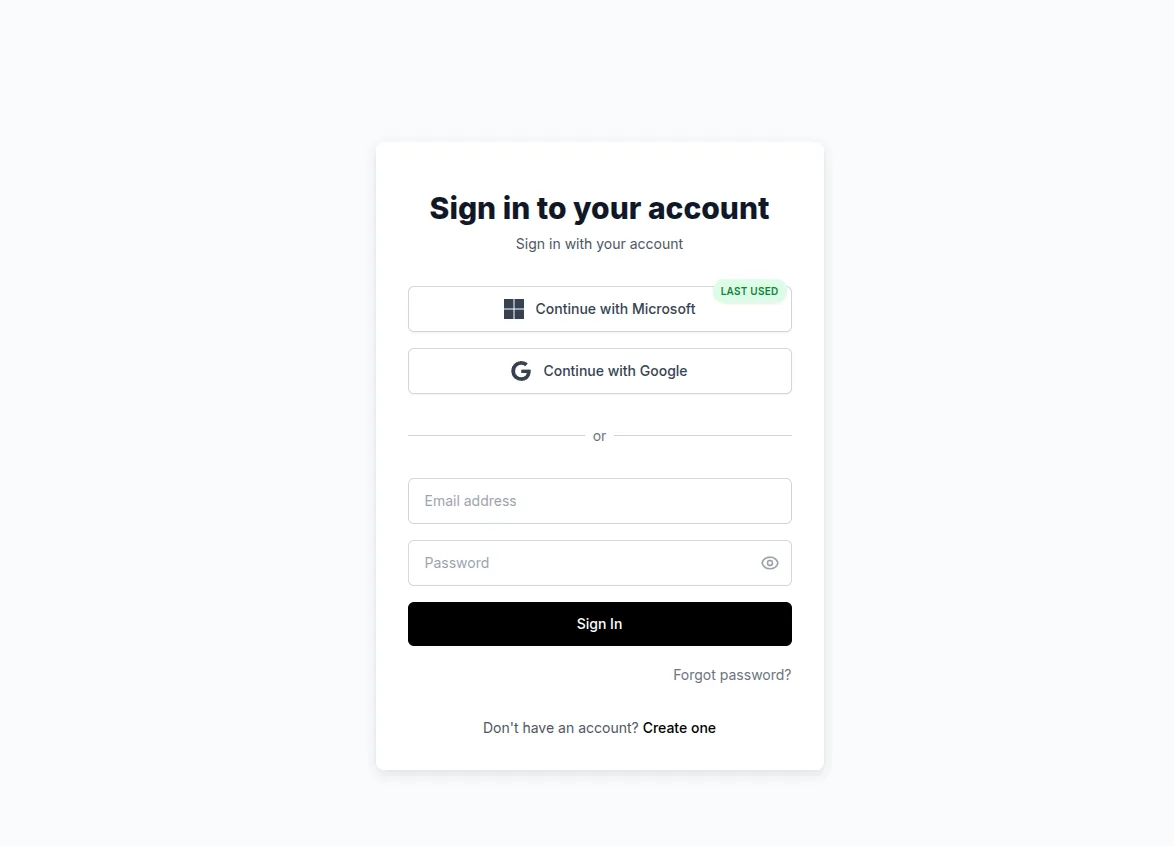
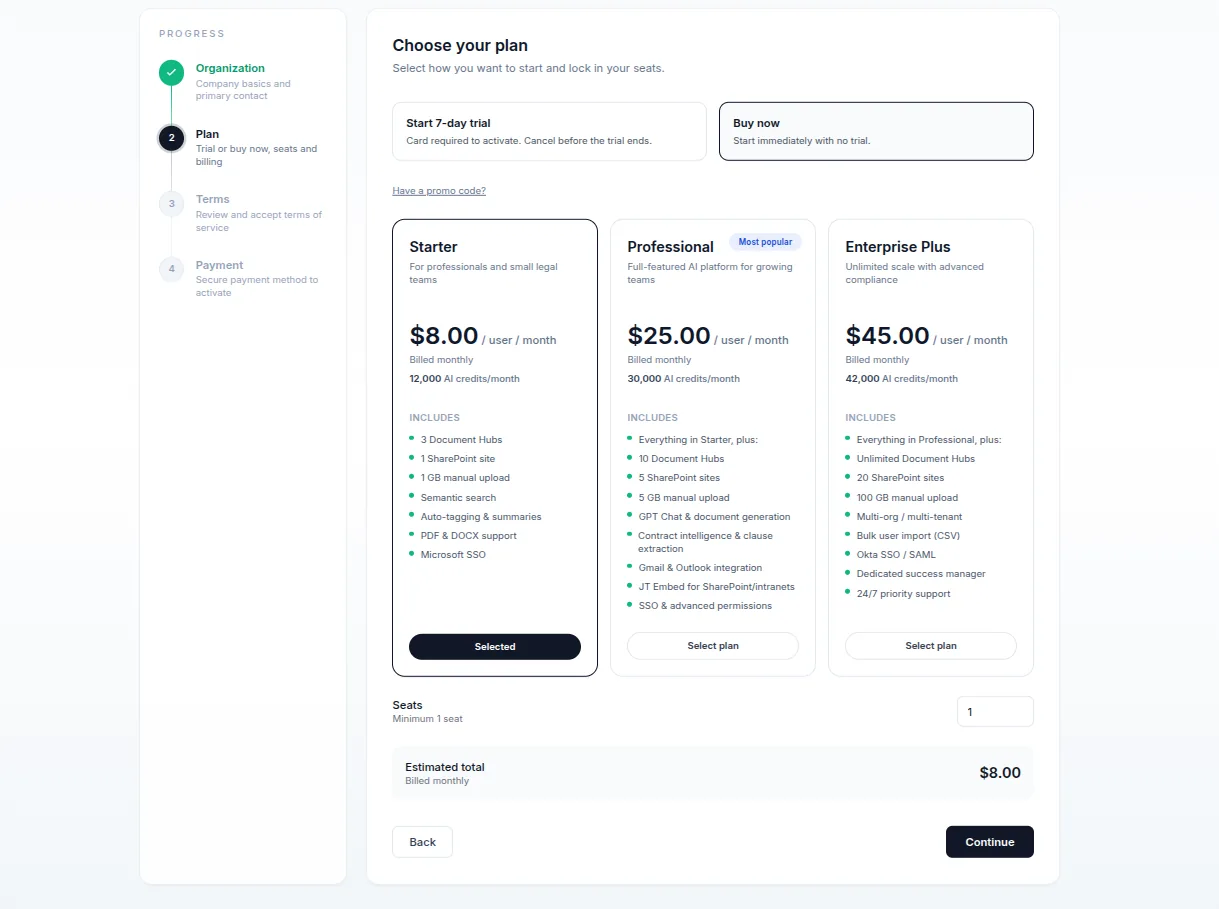
Create an account with email or one-click Google / Microsoft sign-in (Okta/SAML for enterprise). First-time setup walks you through your organization, plan, terms, and payment — or start a free trial.
- Email, Google, Microsoft, and Okta/SAML sign-in
- Guided onboarding: organization → plan → terms → payment
- Promo codes for trials and discounts
- Light/dark mode and a responsive layout on any device
A conversational workspace that knows your documents
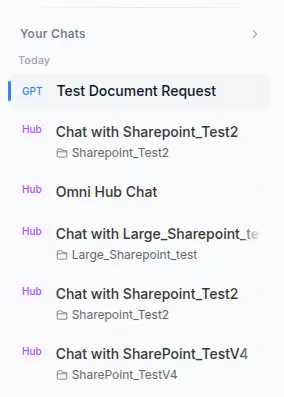
Two modes share one interface: a general AI assistant for drafting and analysis, and document chat that answers from your hubs with citations. Pick your model, search the web, attach files, or dictate by voice.
- Choose your AI model and tune response length and tone
- Web search with linked sources, and file attachments (OCR included)
- Voice-to-text dictation with live transcription
- Auto-saved, searchable chat history grouped by date
Draft and fill documents, then download
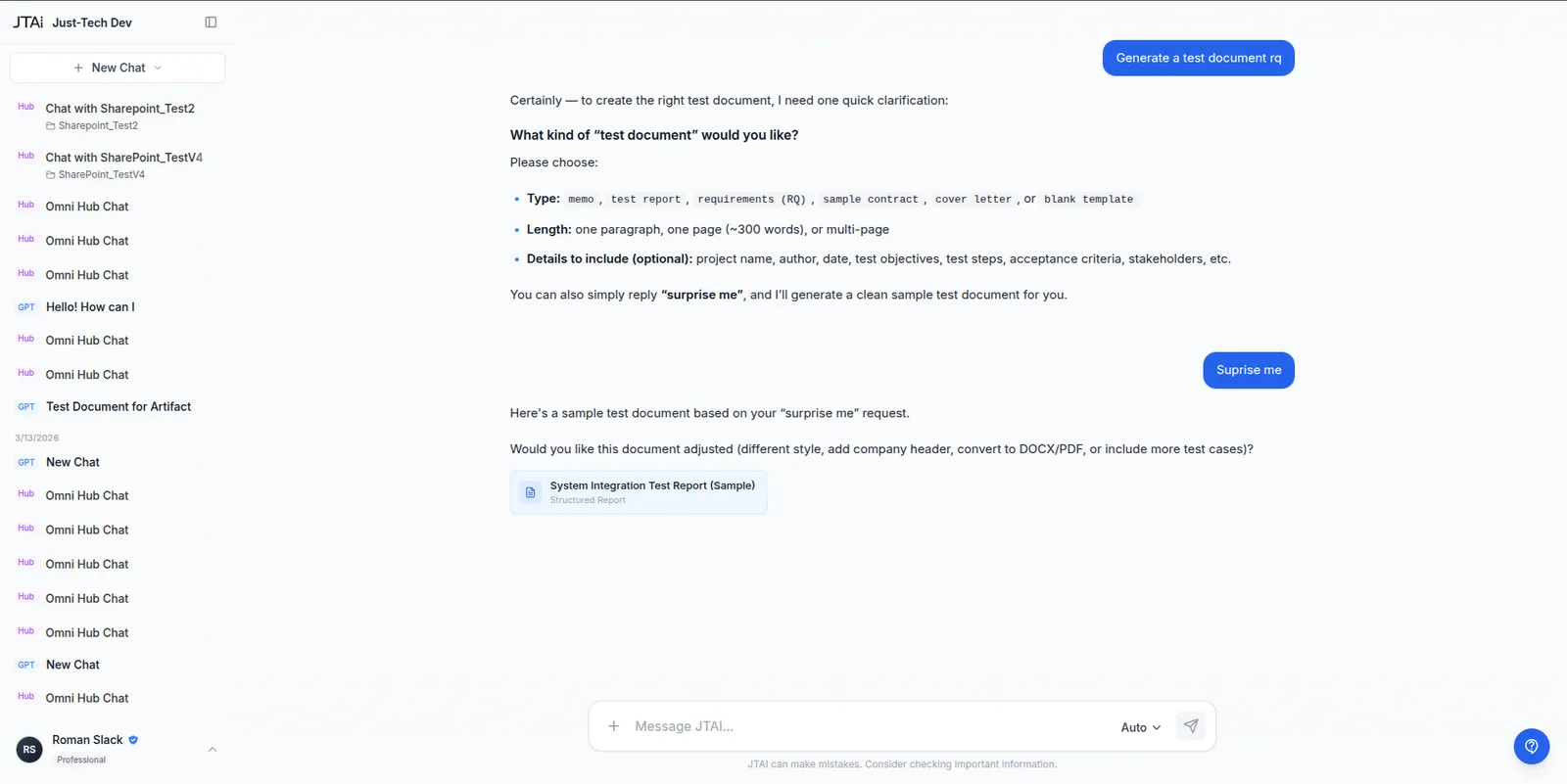
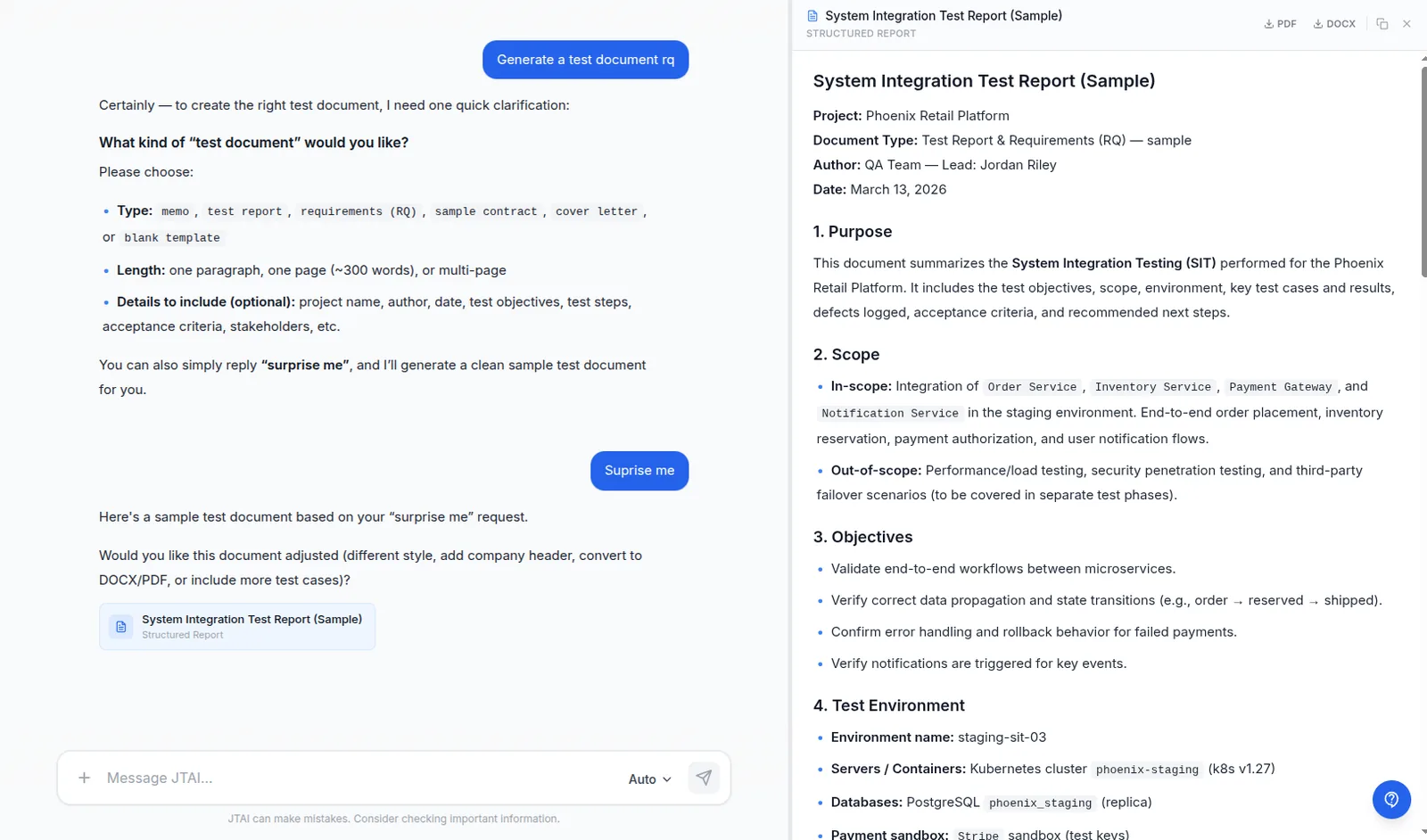
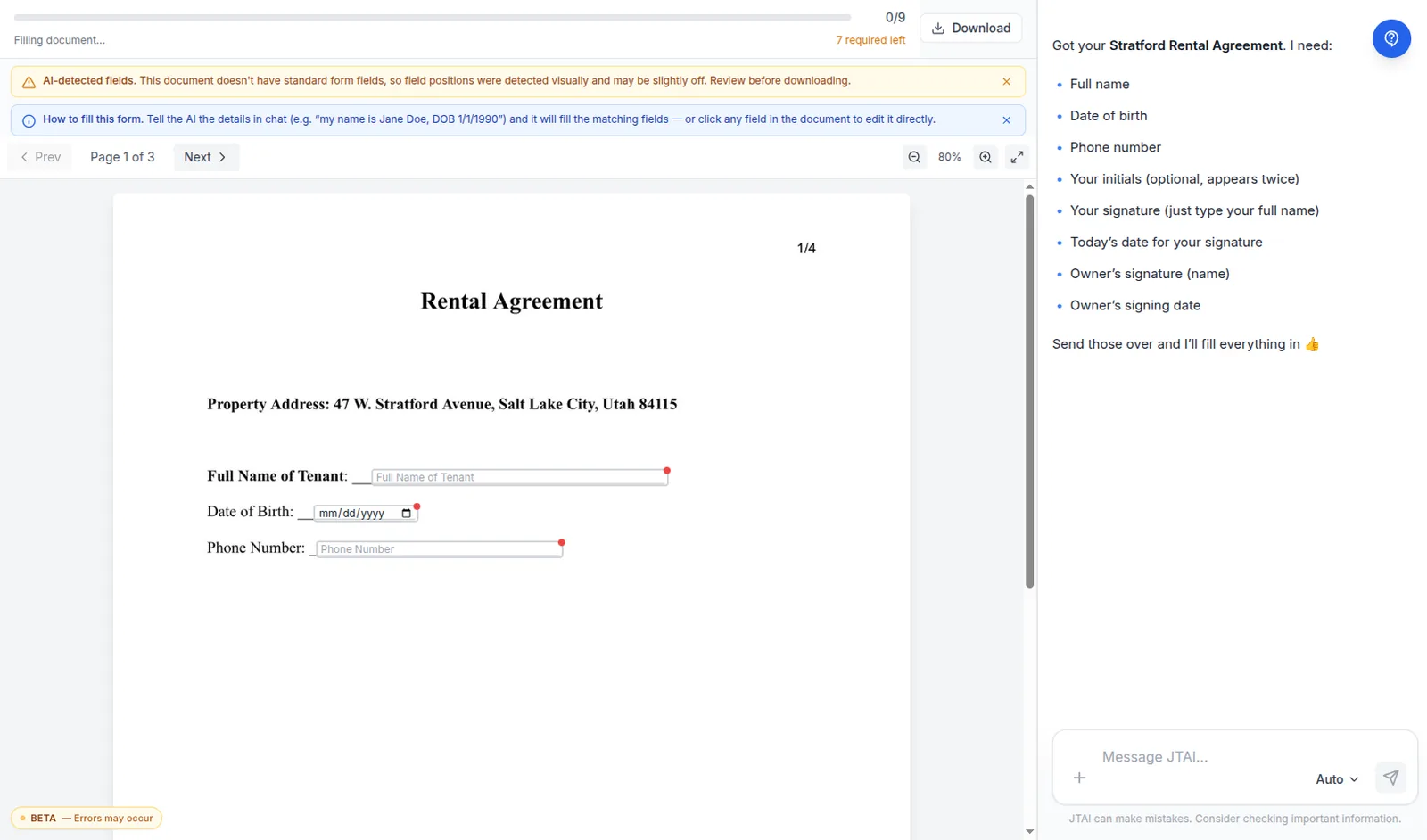
Ask the assistant to write a letter, memo, or contract and it appears formatted in a side panel, ready to download as PDF or Word. Or upload a form — even a scanned one — and JTAI detects the fields and helps you fill it.
- Generate documents in chat, export to PDF or Word
- Edits create new versions you can flip between
- AI form fill-out with automatic field detection
- Finished, downloadable files in one click
Turn documents into searchable knowledge
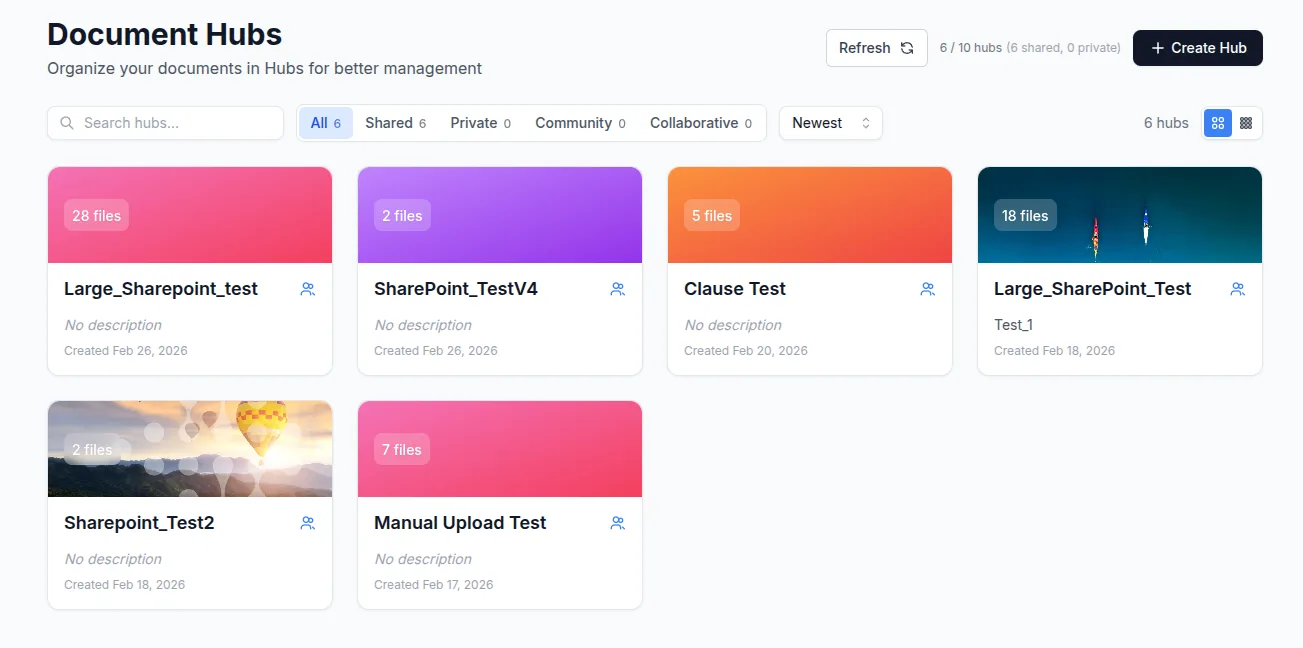
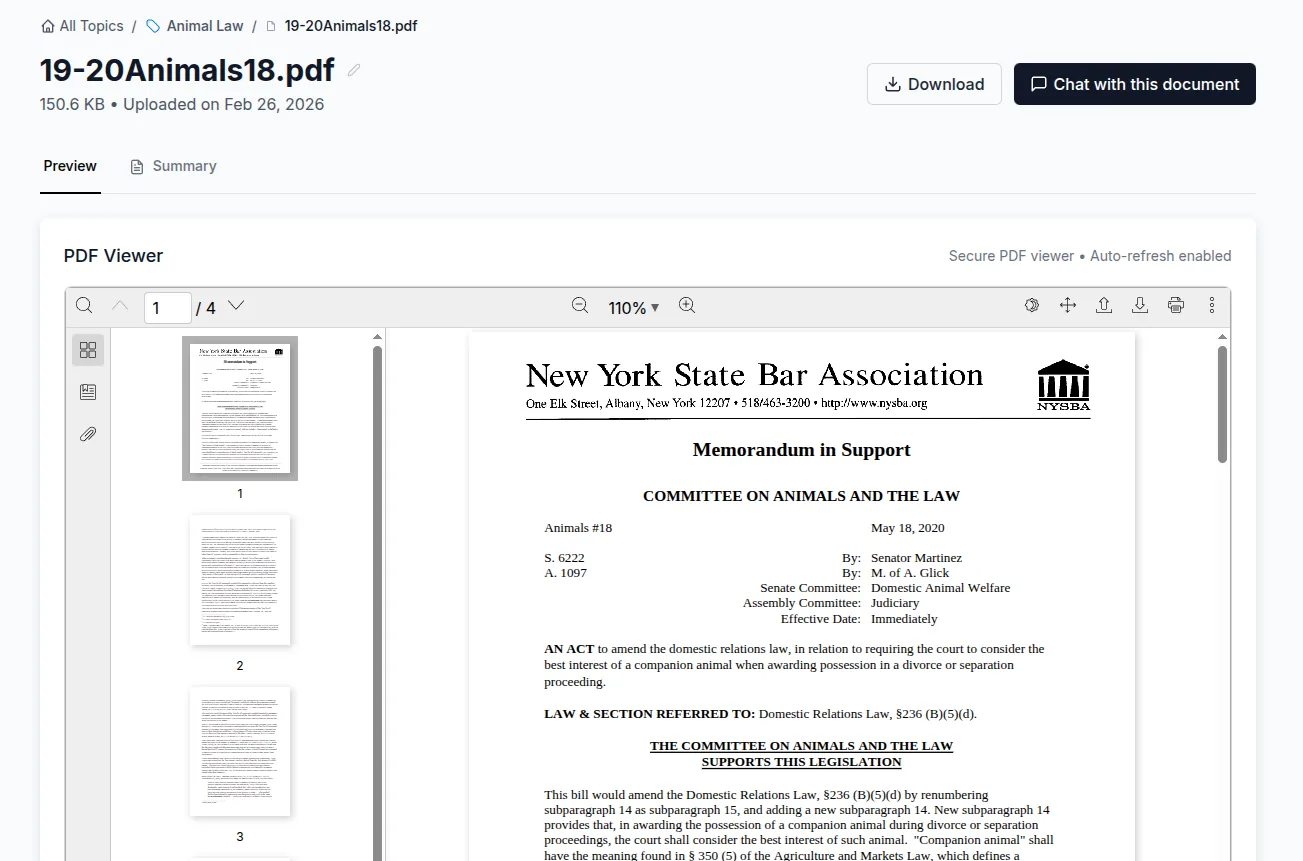
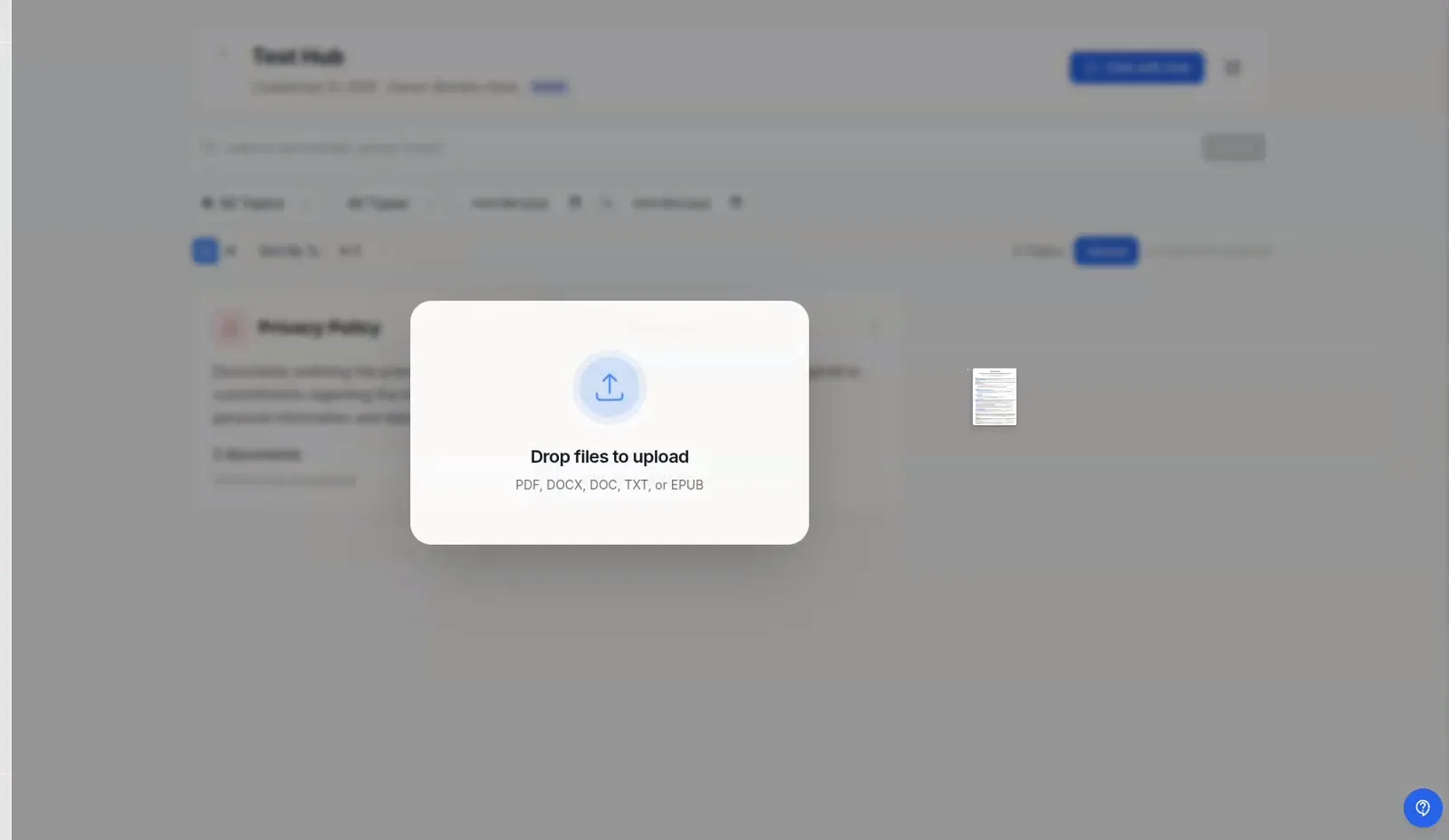
A Hub is a collection of documents your team can search and ask questions against — organized by office, practice area, client, or topic, with access control. Upload files or sync them from where they already live.
- Create hubs; upload PDF, Word, text, or sync from cloud sources
- Read in-browser with summaries and extracted contract clauses
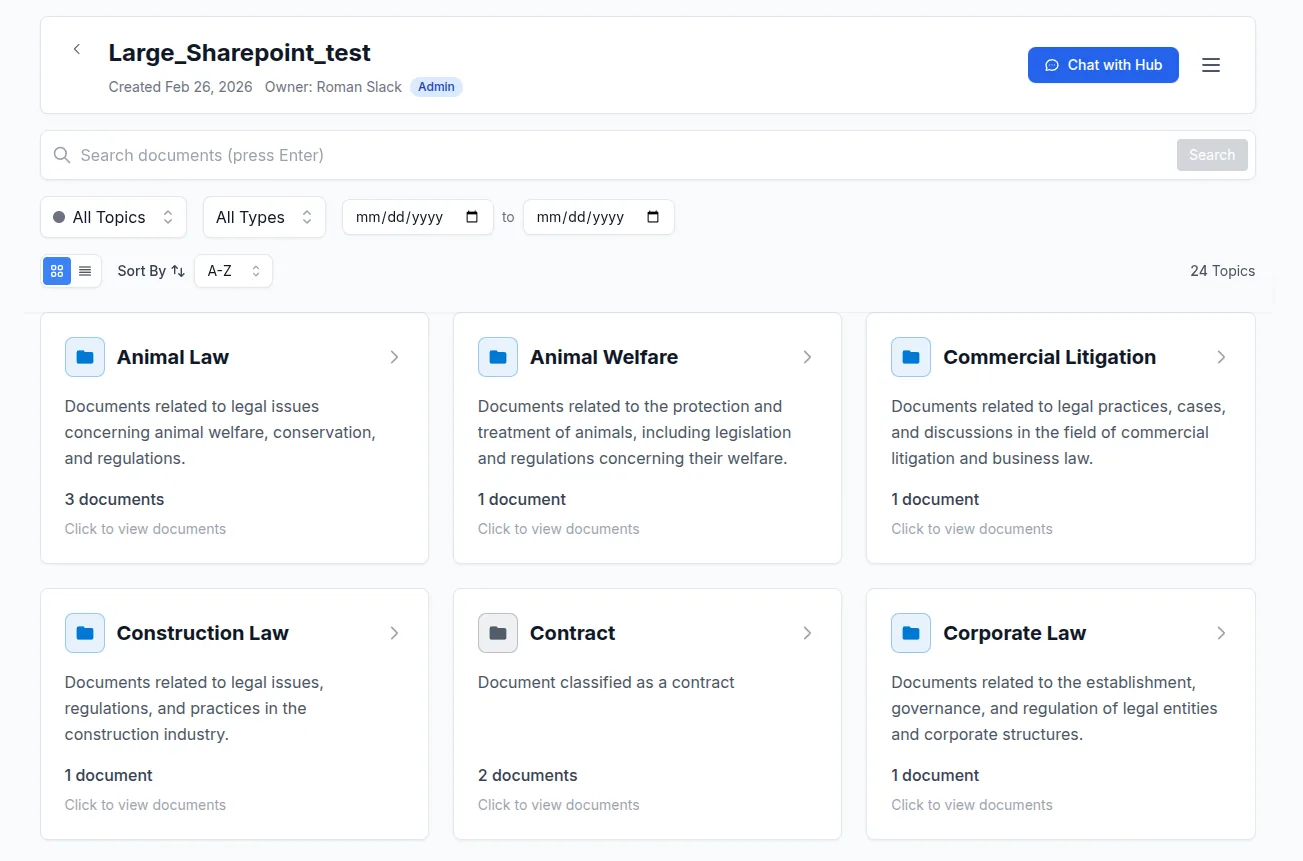
- Organize with colored topics and AI auto-tagging
- Search, filter, and sort across everything in a hub
AI processing on upload (configurable per hub)
In each hub's AI settings you switch on the enrichment steps you want, and from then on every document you add is processed automatically as it comes in. Optional steps: a clean readable title, a one-line and detailed summary, relevant topics and tags (it can even create new topics), and — for contracts — extracted key clauses with risk levels. Documents are always chunked and indexed so they're instantly ready for search and Hub Chat. Each step is independently on or off, and admins can override any AI result by hand.
Ask questions across all your documents
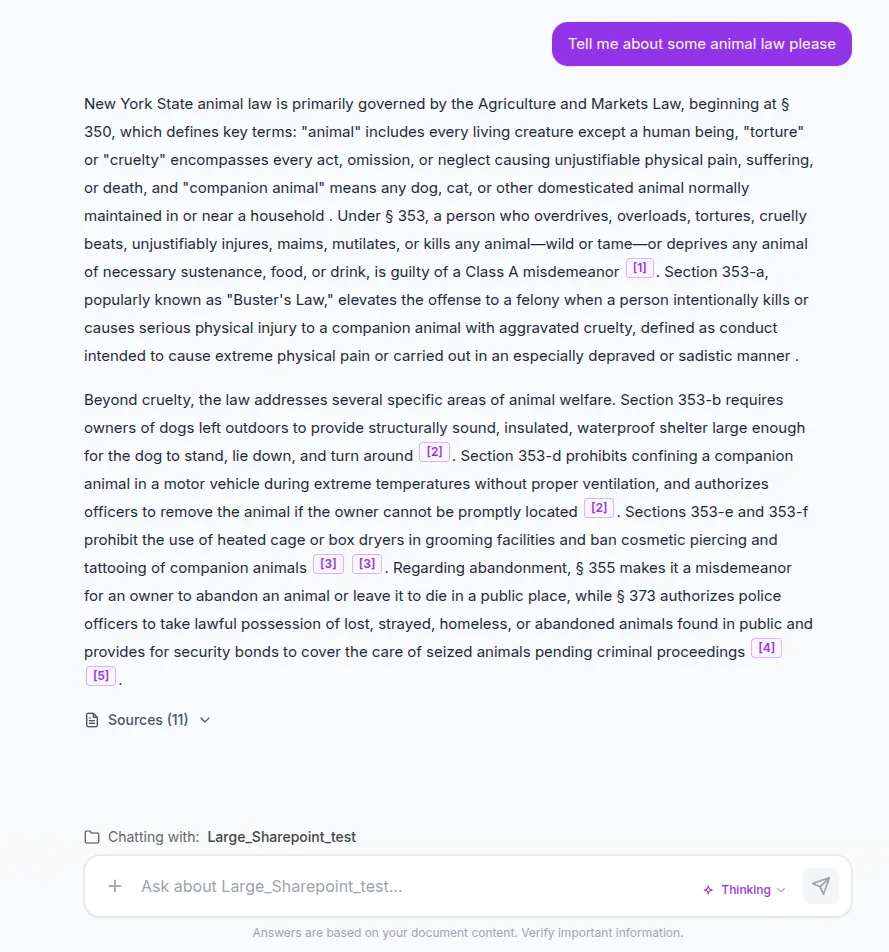
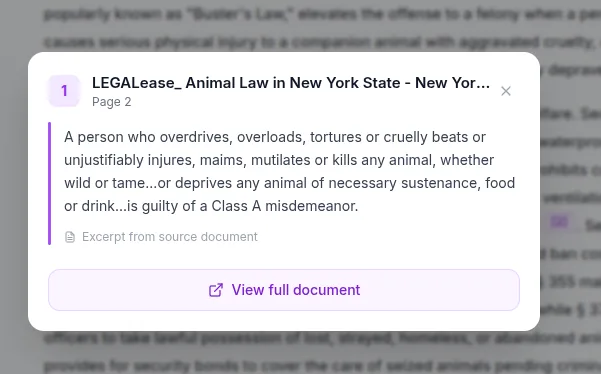
JTAI's signature capability: ask a question and the AI searches your hub, reads the relevant parts, and answers with citations back to the exact source. Choose how deep it should go.
- Synthesized answers across many documents at once
- Fast, Thinking, and Research depth modes
- Verifiable citations — see the source, page, and exact quote
- Chat across a whole hub or a single document
Build AI assistants and embed them anywhere
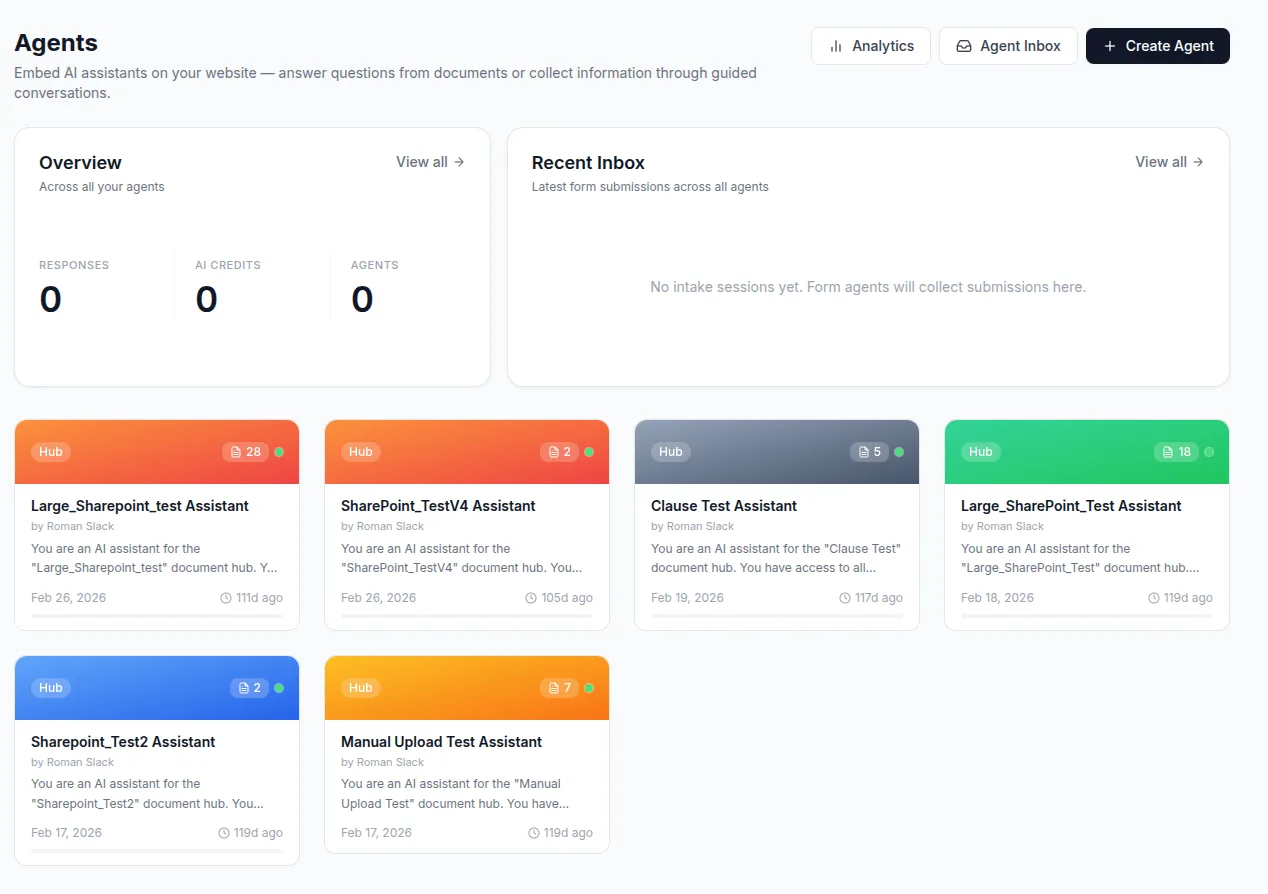
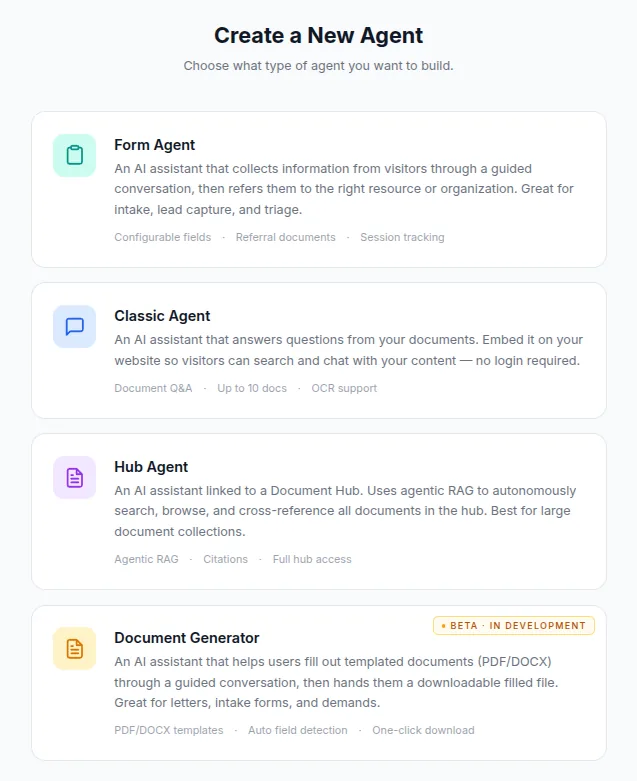
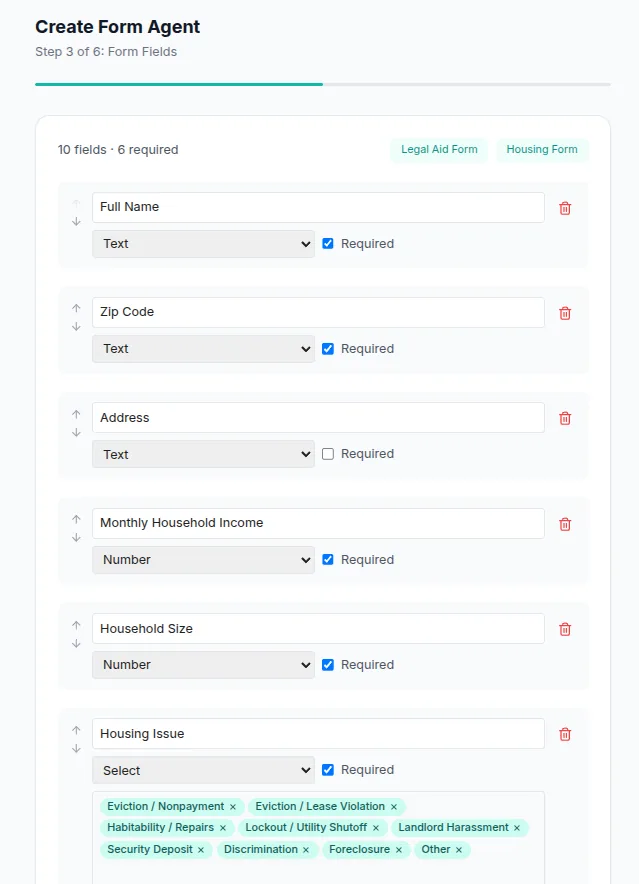
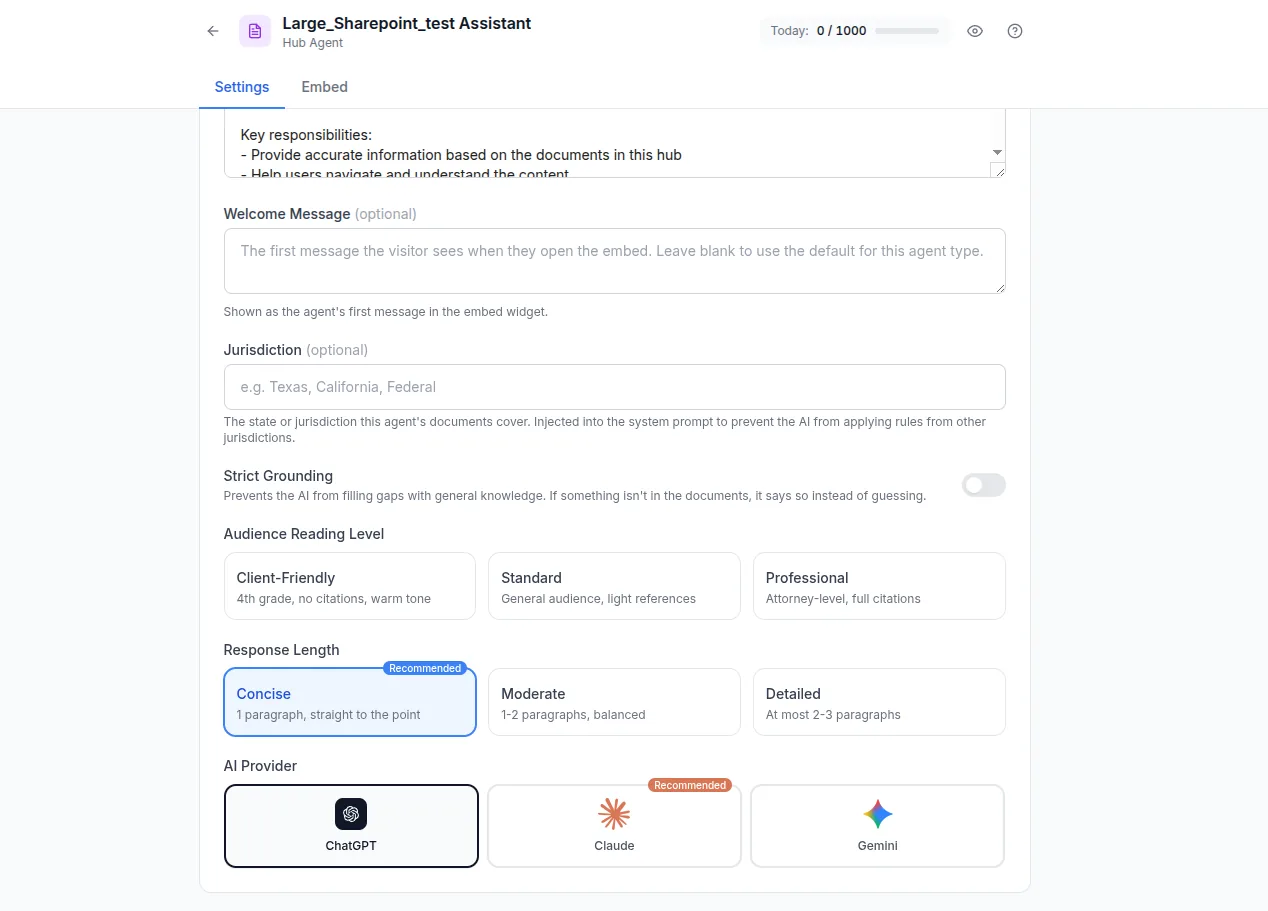
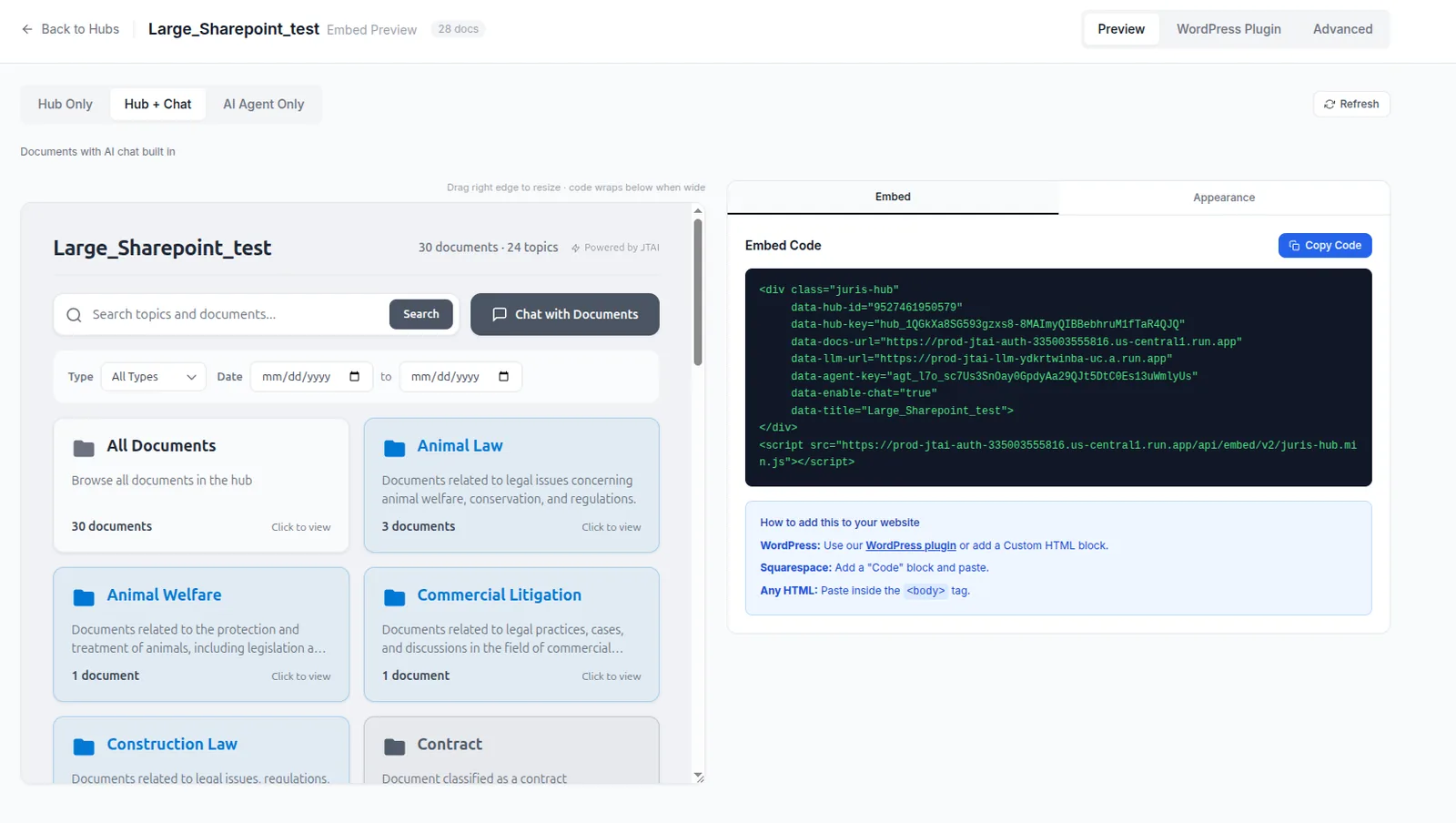
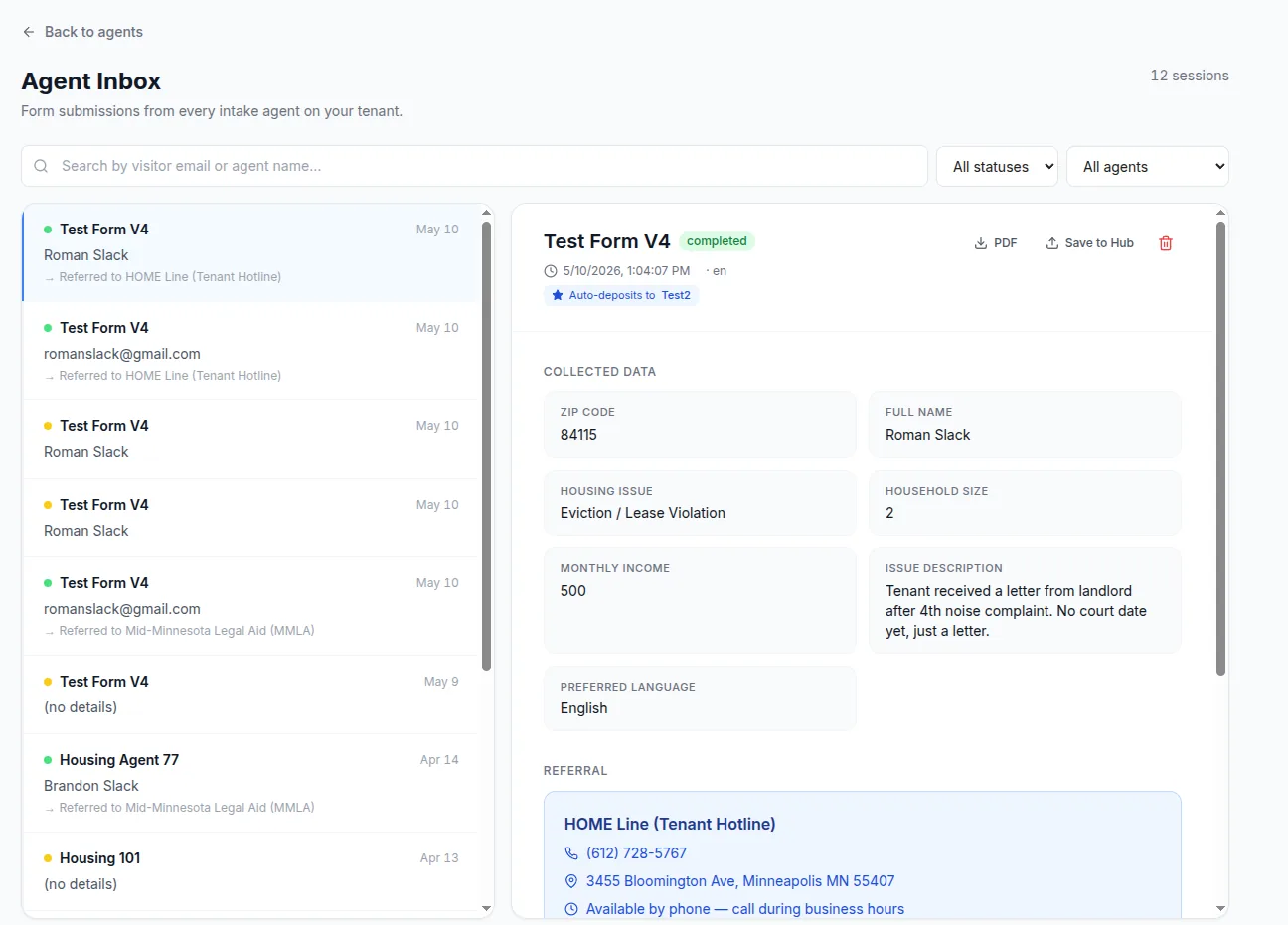
Agents are no-code AI assistants you build in JTAI and embed on your website, SharePoint, or client portal — for visitors who never log in. Pick from four types, each tailored to a different job, and a short guided wizard handles setup.
- Form Agent — guided intake that collects info and refers people on
- Classic Agent — answers from your documents or a scraped website
- Hub Agent — agentic search across an entire Hub, with citations
- Document Generator (beta) — fill a template by conversation
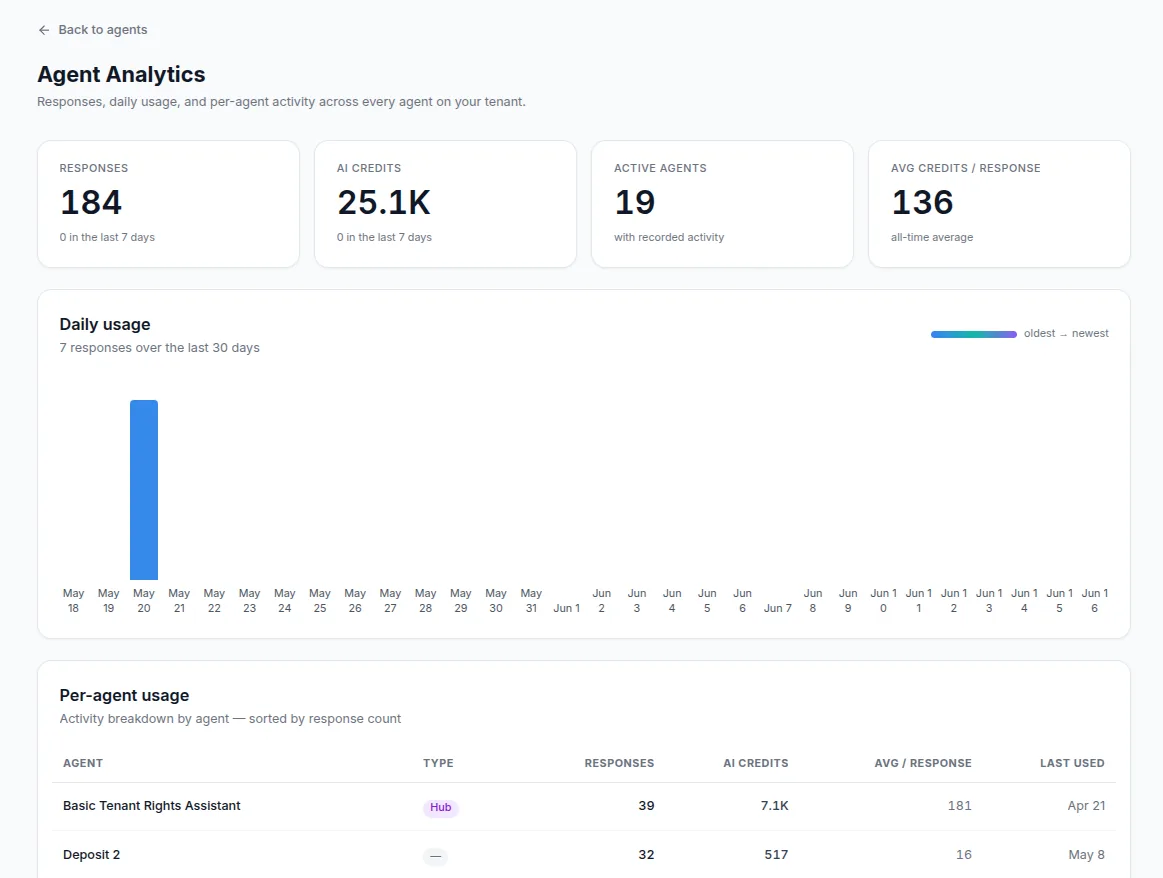
- Customize appearance, embed with one snippet, track every session
Work with partner organizations and the community
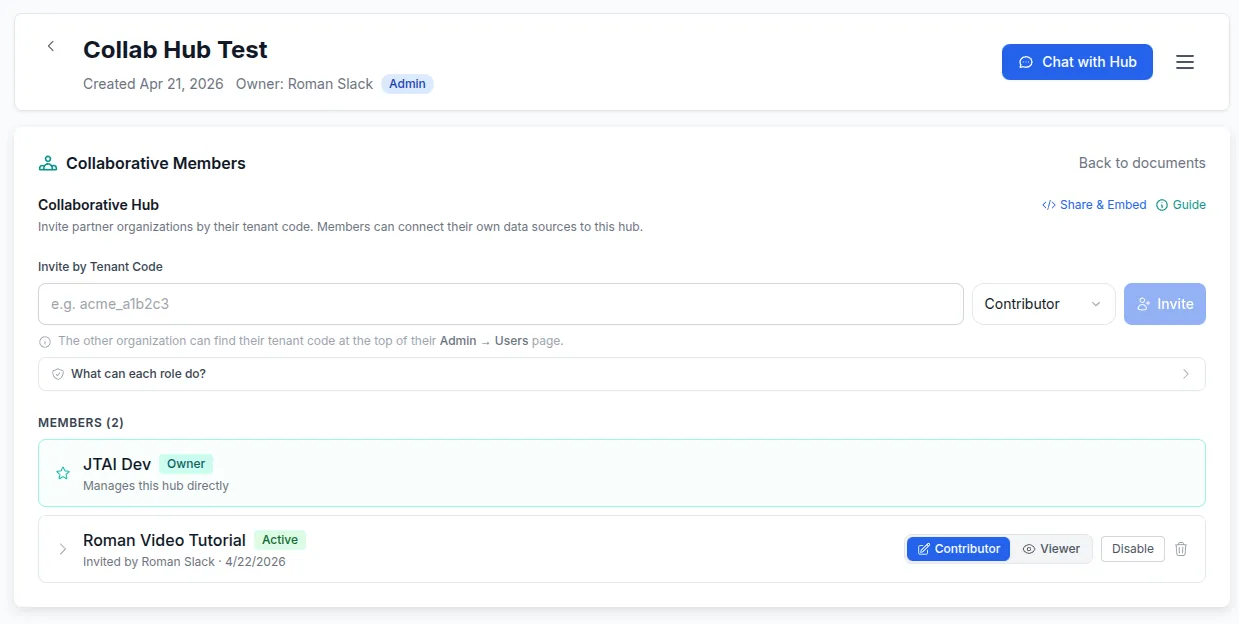
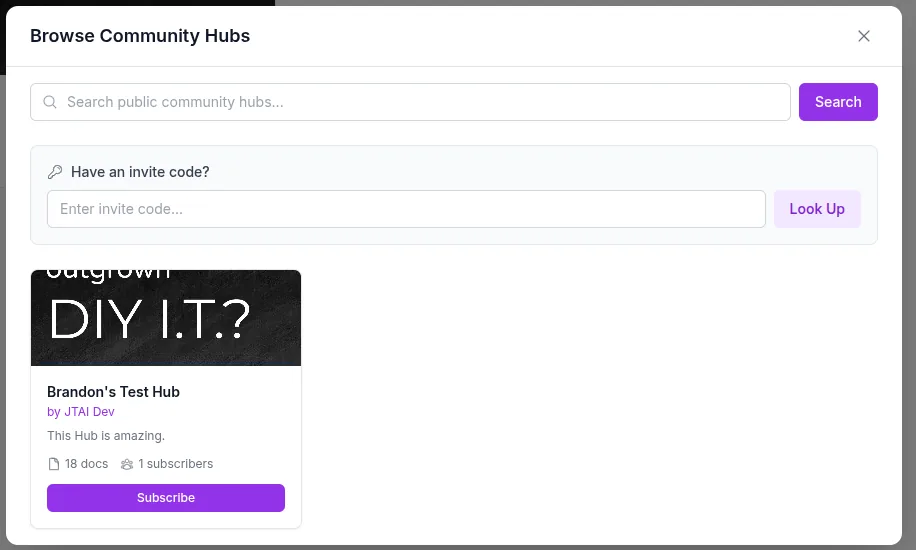
Invite other organizations into a private shared hub with contributor or viewer roles, or publish a hub so others can discover and subscribe to it.
- Collaborative hubs with Contributor and Viewer roles
- Invite, accept, pause, or remove member organizations
- Publish community hubs — public catalog or invite-only
- Subscribers get read-only access to documents and chat
Bring documents in from where they live
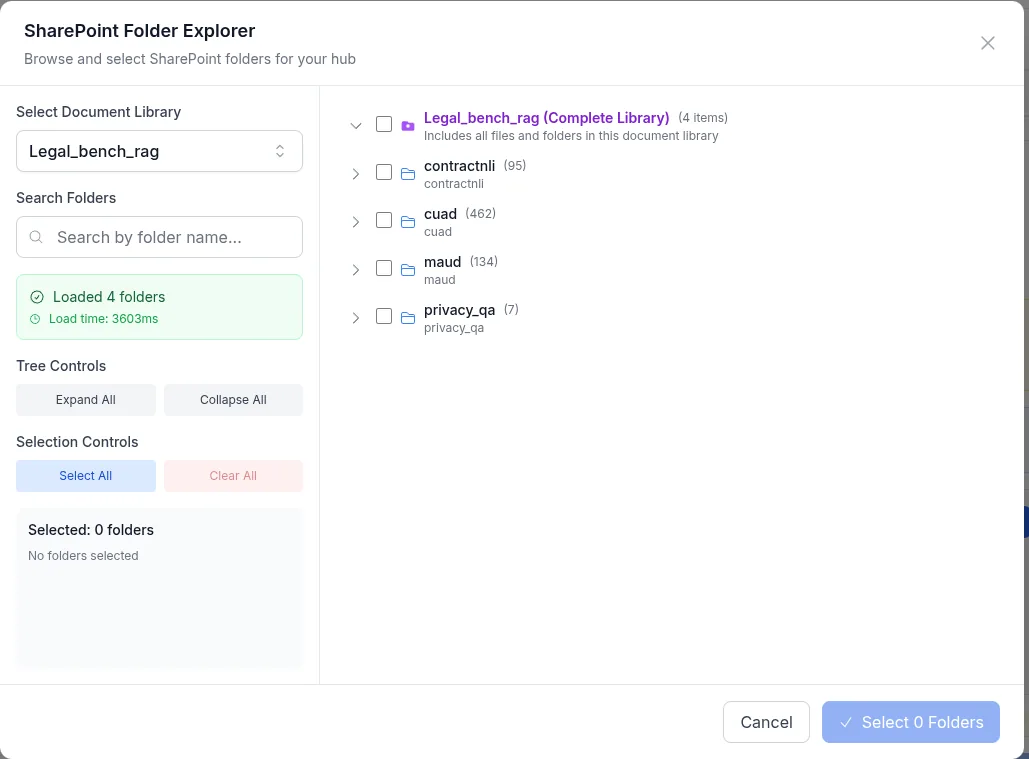
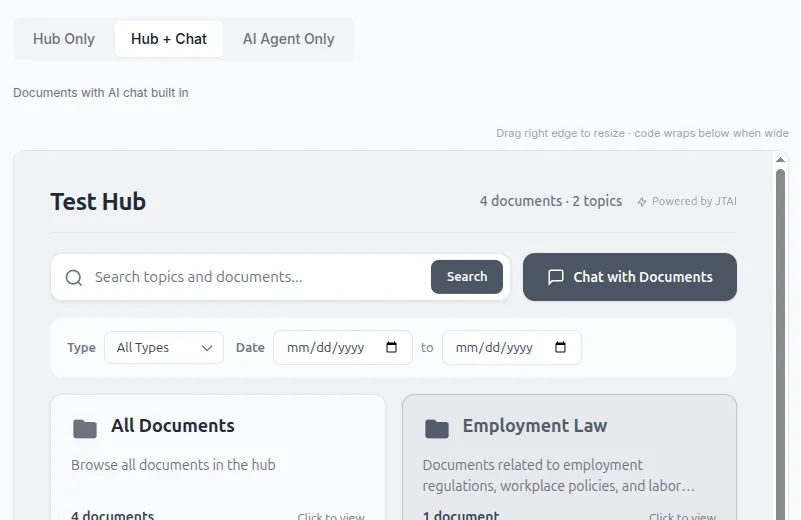
JTAI pulls documents from your existing sources and keeps them in sync, and lets you embed hubs and agents on any site.
- SharePoint folder sync with status and pause/resume
- Google Drive, OneDrive, and Dropbox connectors
- LegalServer matter sync (case notes + documents)
- WordPress plugin and copy-paste embed codes for any site
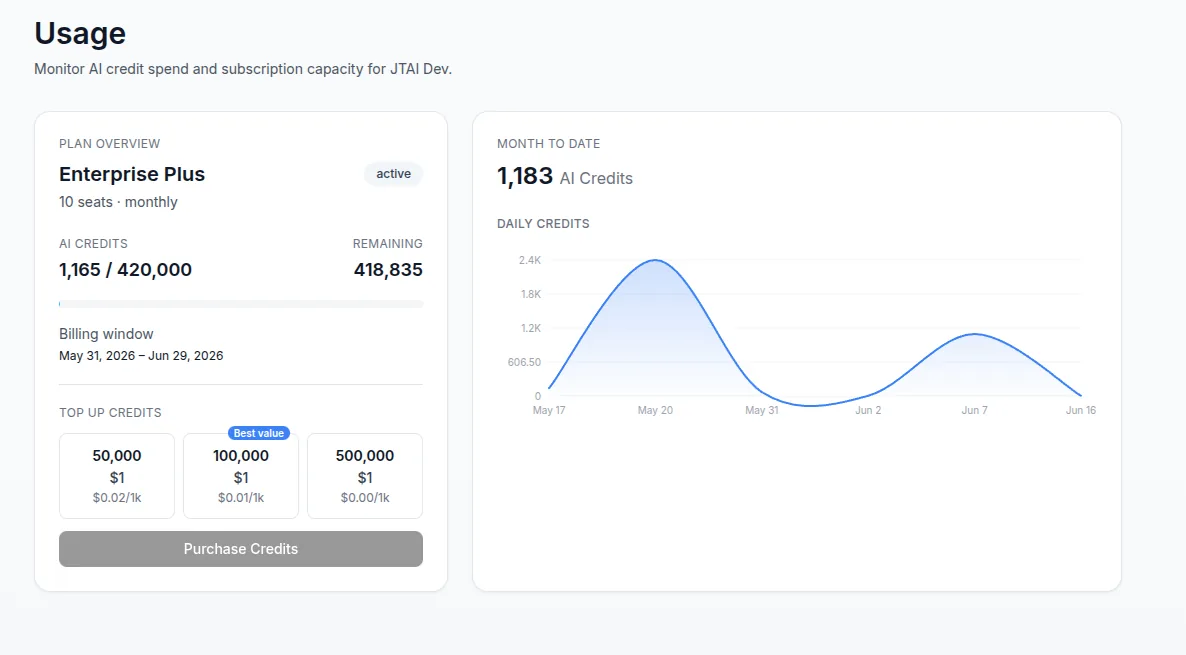
See how AI is used — and keep it in check
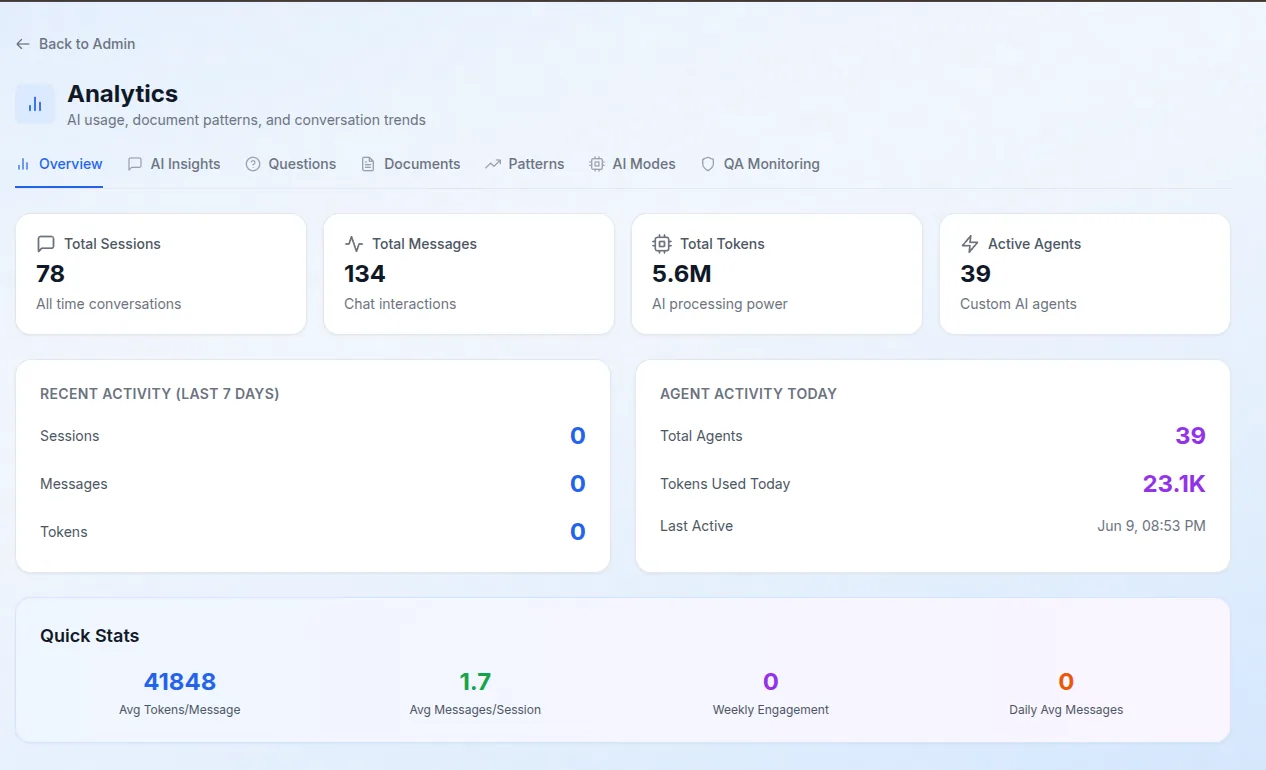
Built-in analytics show how your team uses JTAI, automated QA review flags risky conversations, and usage dashboards track AI-credit consumption.
- Organization analytics: top questions, document types, usage patterns
- Automated QA monitoring for legal-risk review
- Personal and organization-wide credit usage dashboards
- Per-user breakdowns to understand consumption
Simple, transparent plans
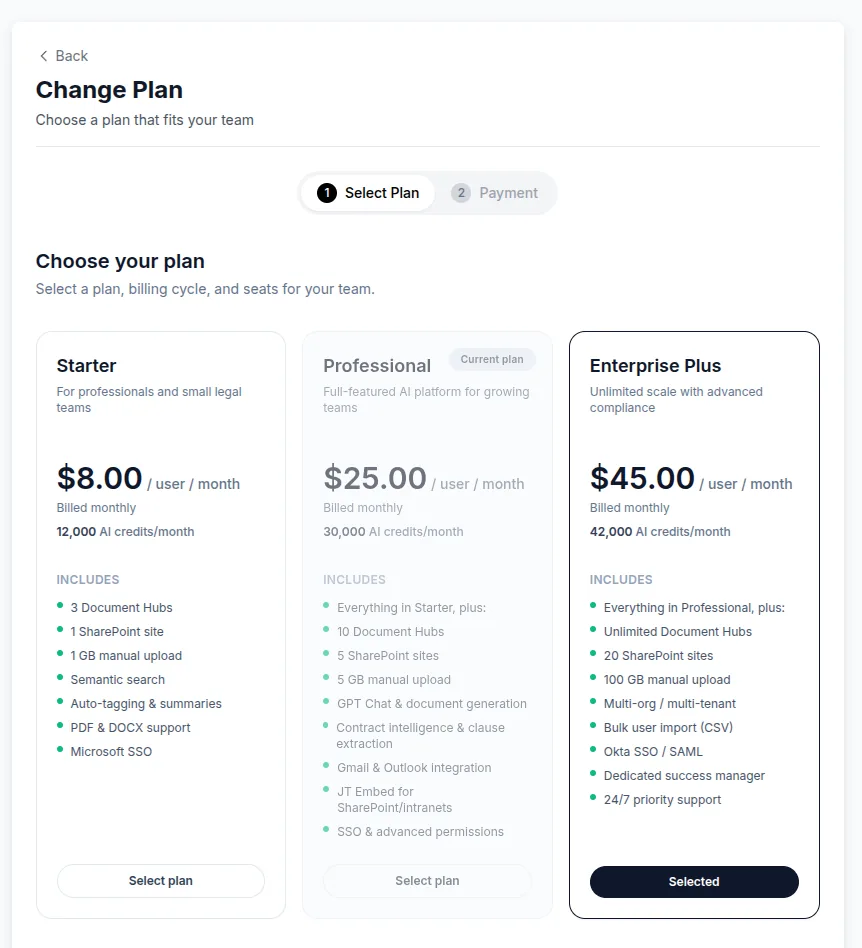
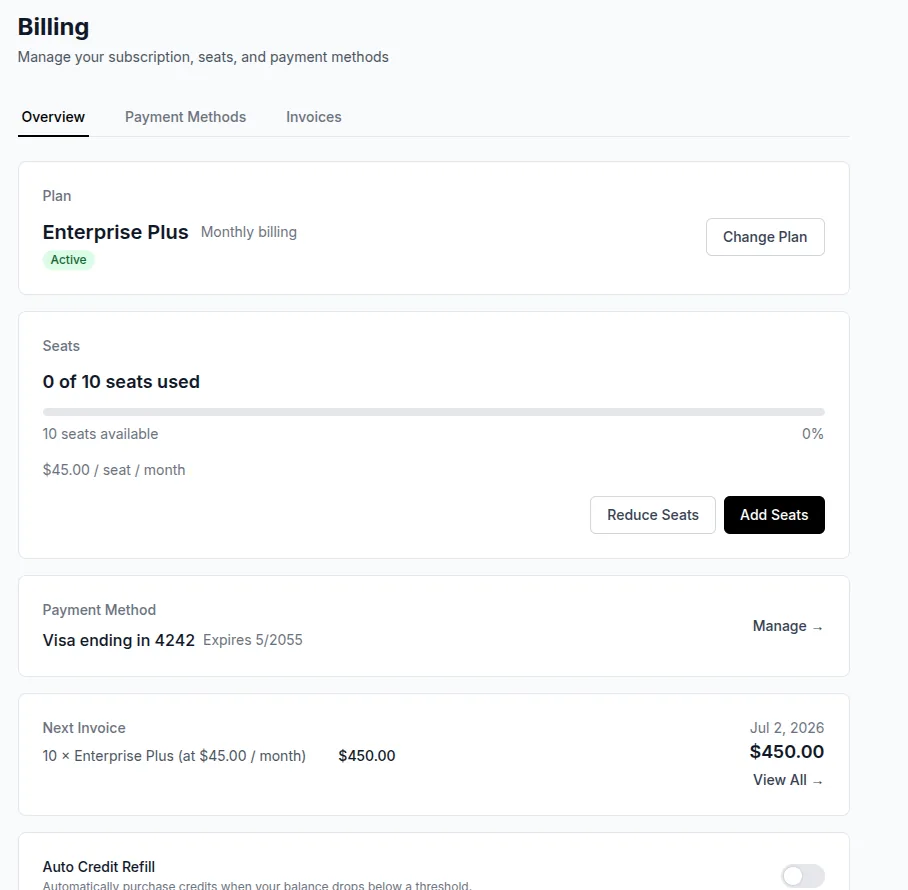
Three tiers billed per user, monthly or annually, with discounted nonprofit pricing. Admins manage the subscription, seats, payment methods, and invoices from one place.
- Starter, Professional, and Enterprise Plus tiers
- Manage seats, payment methods, and invoices
- Monthly AI-credit allotment per plan
- Nonprofit pricing and tax-exemption support
Control your organization
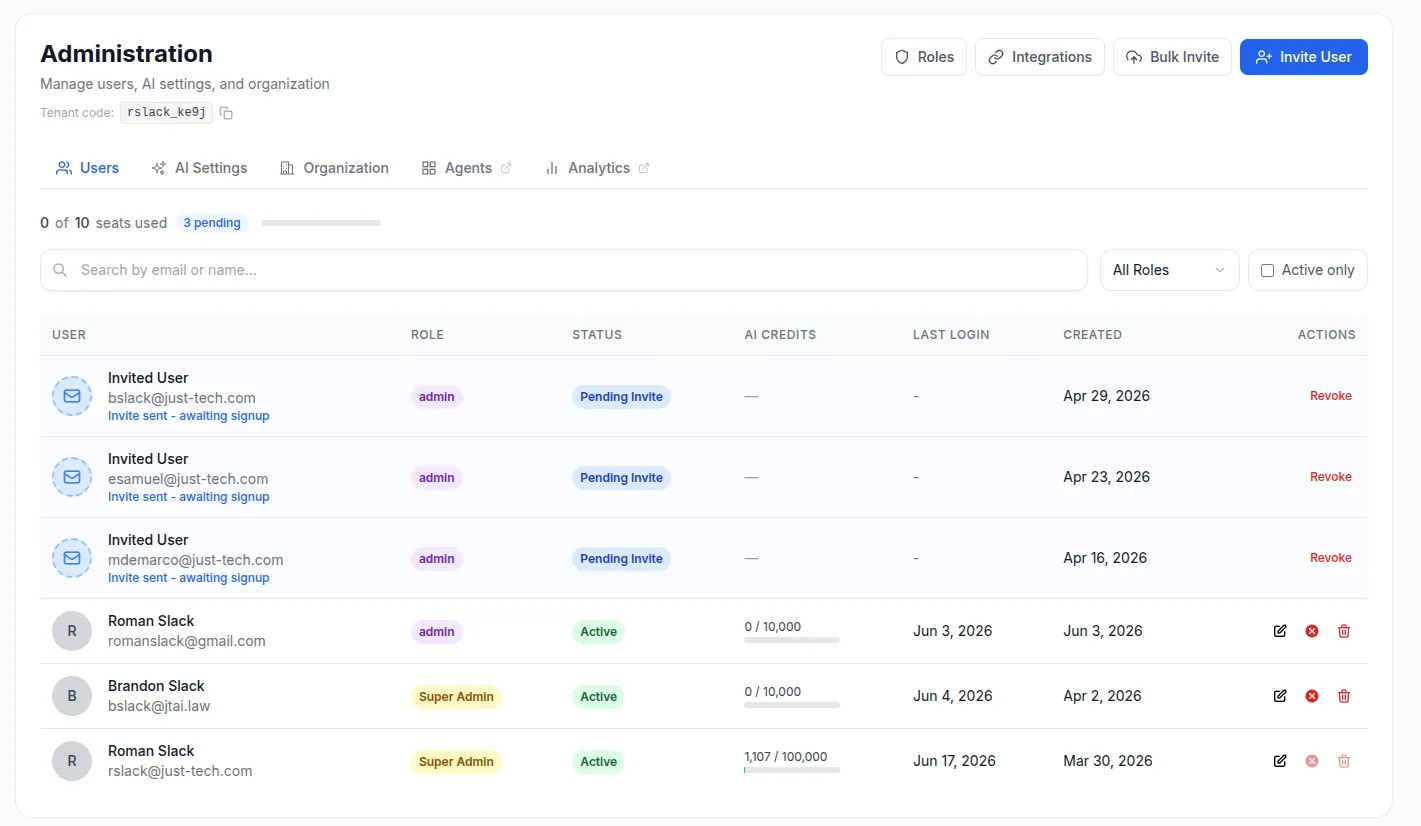
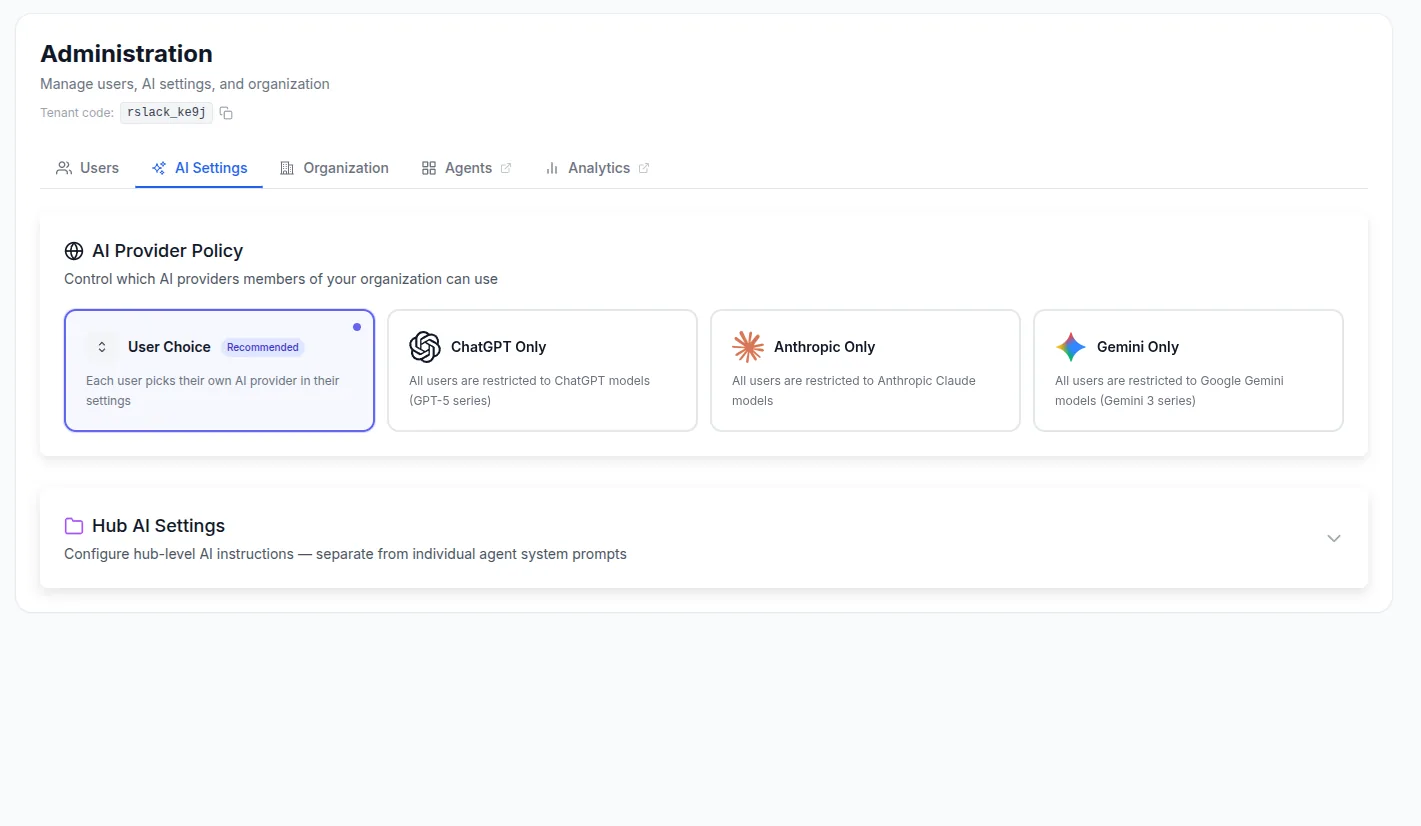
Admins manage everyone in the organization — inviting users, assigning roles, and setting the AI policy that governs the whole team.
- Invite users individually or in bulk via CSV
- Built-in and custom roles with hub-level access control
- Organization-wide AI provider policy and per-hub prompts
- Reset passwords, deactivate, or remove members
Built for sensitive documents
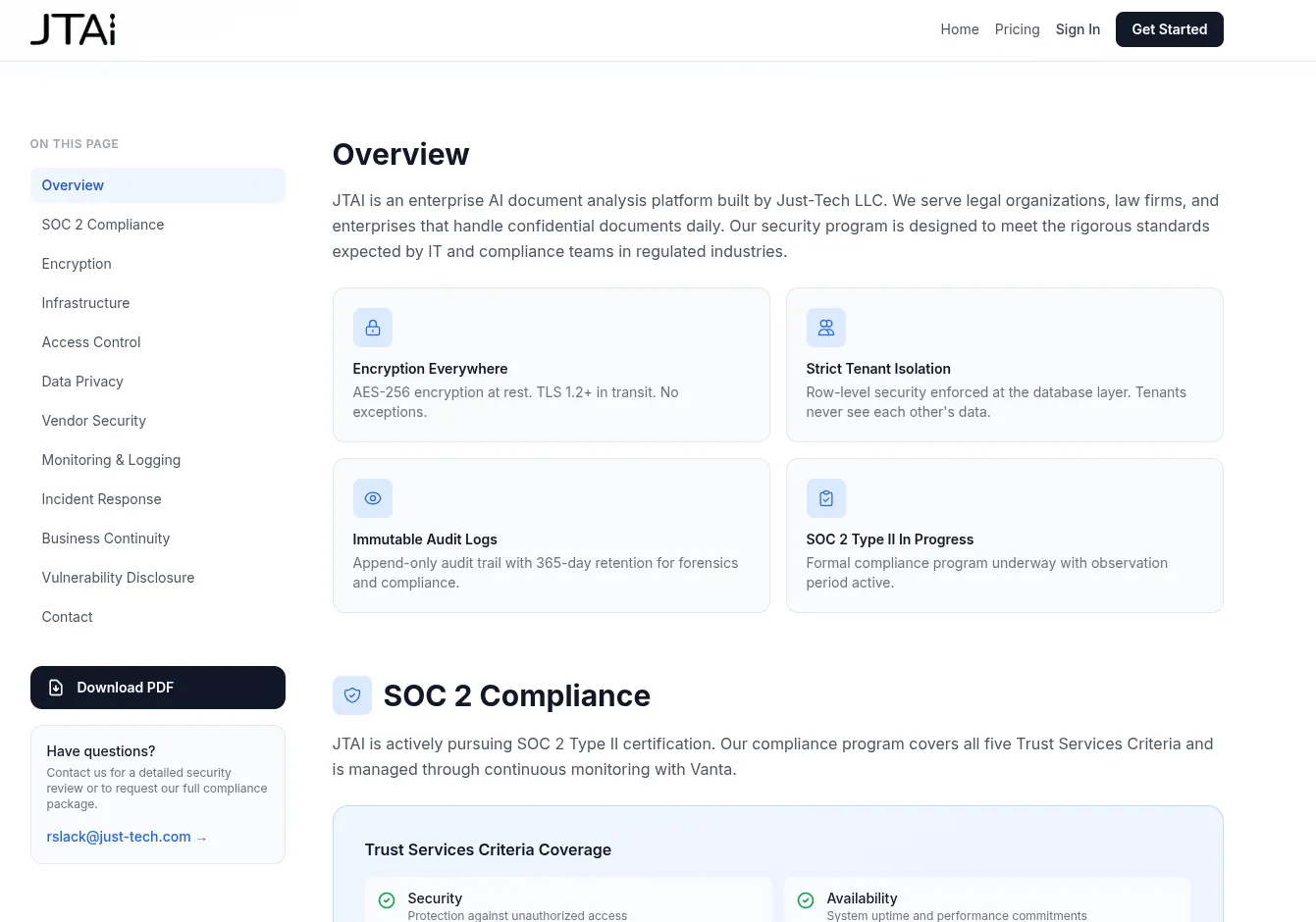
Security is foundational: AES-256 encryption at rest, TLS in transit, strict multi-tenant isolation, audit logging, and a SOC 2 Type II program in progress.
- AES-256 at rest, TLS 1.2+ in transit
- Row-level multi-tenant data isolation
- Immutable audit logging and a public status page
- SOC 2 Type II program underway
Ready to see it with your own documents?
Reach out and we'll give you a guided walkthrough tailored to your organization.